Personal finance that your AI agent can work in

Counterpoise is an open-source ledger with real double-entry bookkeeping and a built-in MCP server. Your books stay on your server.

  • Open source
  • MIT license
  • Self-hosted
Counterpoise in 45 secondsMusic only · 0:45
Description of the video

This video has music and no speech. All of its content is on-screen text and stylized drawings of the app.

A long Costco receipt scrolls. The text reads: 28 items. 6 categories. One photo. No manual entry.

A person sends a photo of the receipt to an AI assistant and asks it to enter the purchase and split it by category. The assistant calls Counterpoise tools through MCP. In the Journal view, six expense lines fill: Groceries, Household, Clothing, Pharmacy, Pets, and Electronics. One credit line goes to the credit card. Debits equal credits, and the status changes to Balanced. The text reads: Each entry must balance. Agent entries also.

The person asks three more questions. "Where did the money go this month?" gives an income statement. "Reconcile my bank feed." matches five bank items. "How are my investments doing?" shows positions and gains. The text reads: More than 60 tools. Your agent can read and write your books.

Four cards show the dashboard, the recurring calendar, the dark theme, and the phone layout.

The video ends with the Counterpoise name and the text: Open source. Self-hosted. Balanced to the penny.

Give the work to your AI agent

Counterpoise has a built-in MCP server with more than 60 tools. Connect an assistant such as Claude, and it can read and write your books. Send it a photo of a long receipt, and it makes one transaction with the correct expense category for each item.

Try these prompts

  • Here is a photo of my Costco receipt. Enter the purchase and split it by category.
  • Where did the money go this month?
  • Reconcile my bank feed.
  • How are my investments doing?

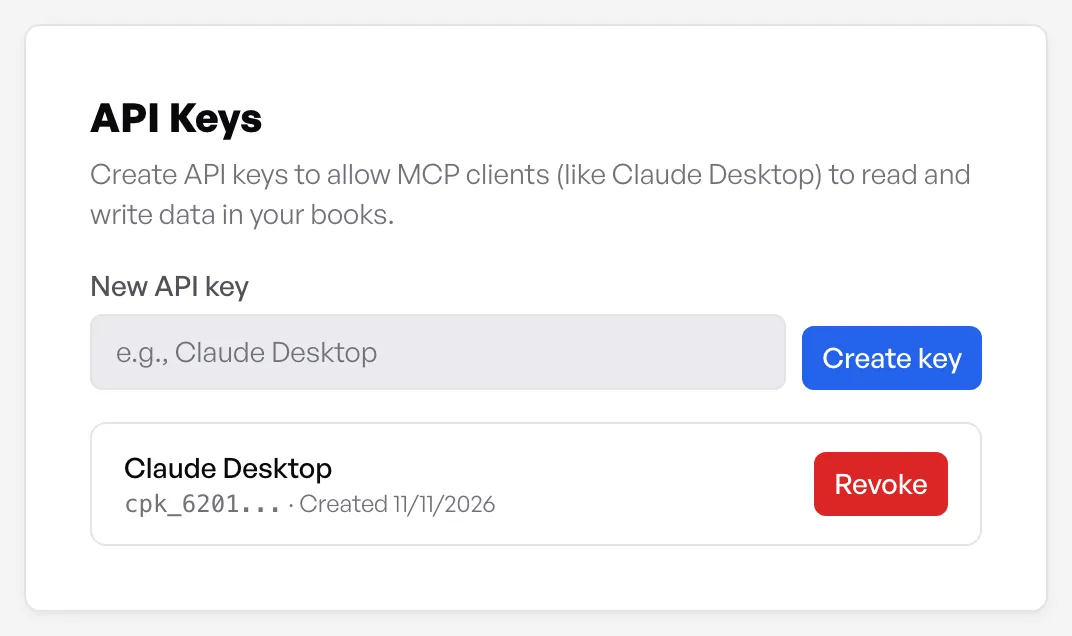
Each entry that an assistant makes must balance, as all other entries must. Access is over stdio or HTTP, with per-user API keys that you manage on the Account page. Keys are stored as scrypt hashes.

The API Keys section of the Account page, with one key named Claude Desktop
From the app, release v1.60.2

Features

Real double-entry accounting

Every transaction has balanced debits and credits. Counterpoise keeps the books the way an accountant does, with no extra work for you.

  • Five account types: assets, liabilities, equity, income, and expenses
  • Account subtypes for bank, credit card, loan, investment, and cash accounts
  • Parent and child accounts, with a running balance for each account
  • Separate books for each part of your life, such as personal and business
  • A demo book with one click: a full sample household to explore
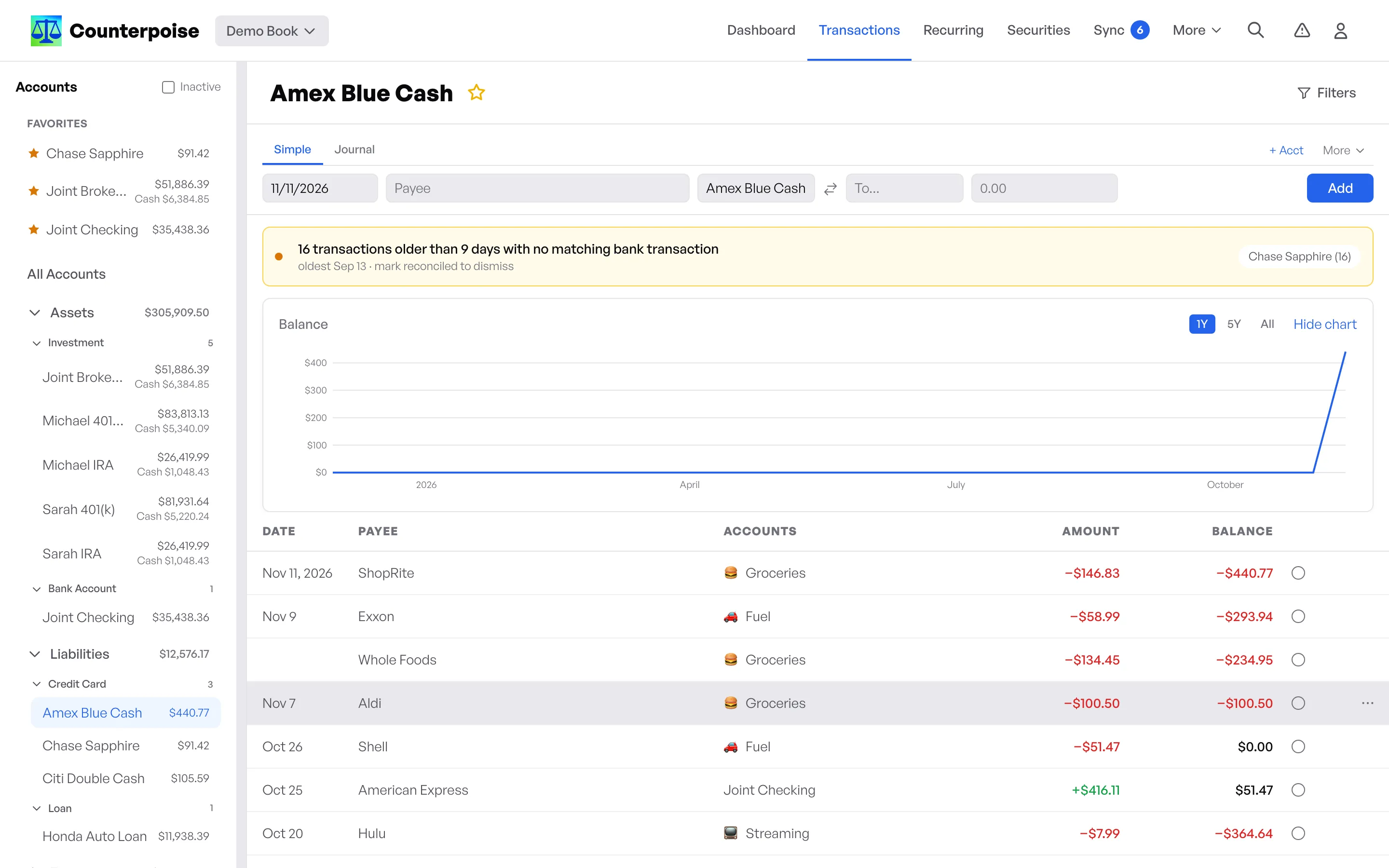
A credit card register with running balances and category icons
From the app, release v1.60.2

Transactions and splits

Record a purchase in seconds, or split one receipt across many categories.

  • Simple mode for a quick transfer between two accounts
  • Journal mode for the full debit and credit ledger
  • Floating entries that move to today until you reconcile them
  • Edit and delete any transaction
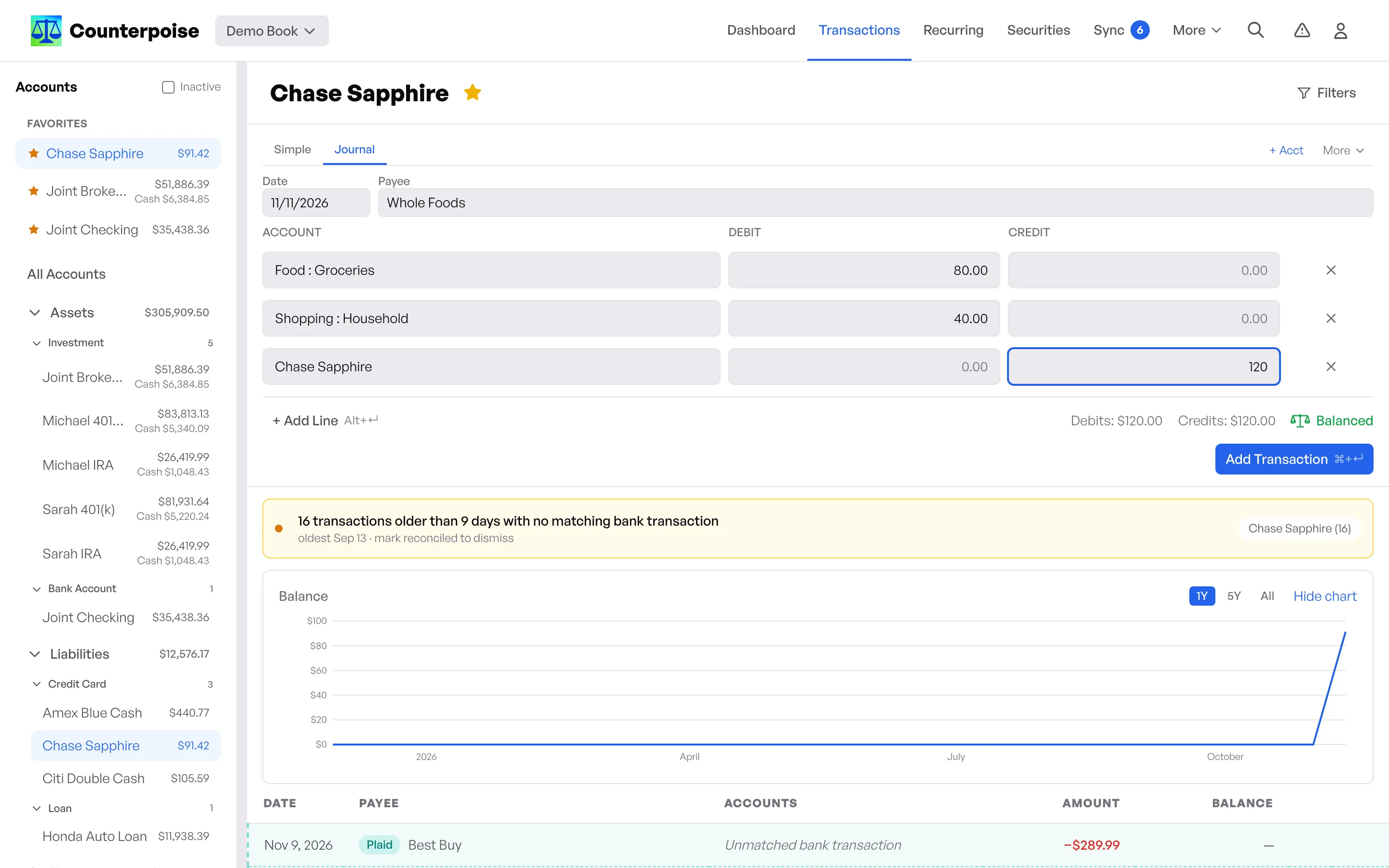
A Journal entry that splits one purchase across Groceries and Household, with debits equal to credits
From the app, release v1.60.2

Investments

Track stocks, ETFs, and mutual funds in the same books as your bank accounts.

  • Buy, sell, and dividend transactions
  • FIFO lot tracking with automatic cost basis
  • Positions and market value across all accounts
  • Price history, with end-of-day prices from Tiingo
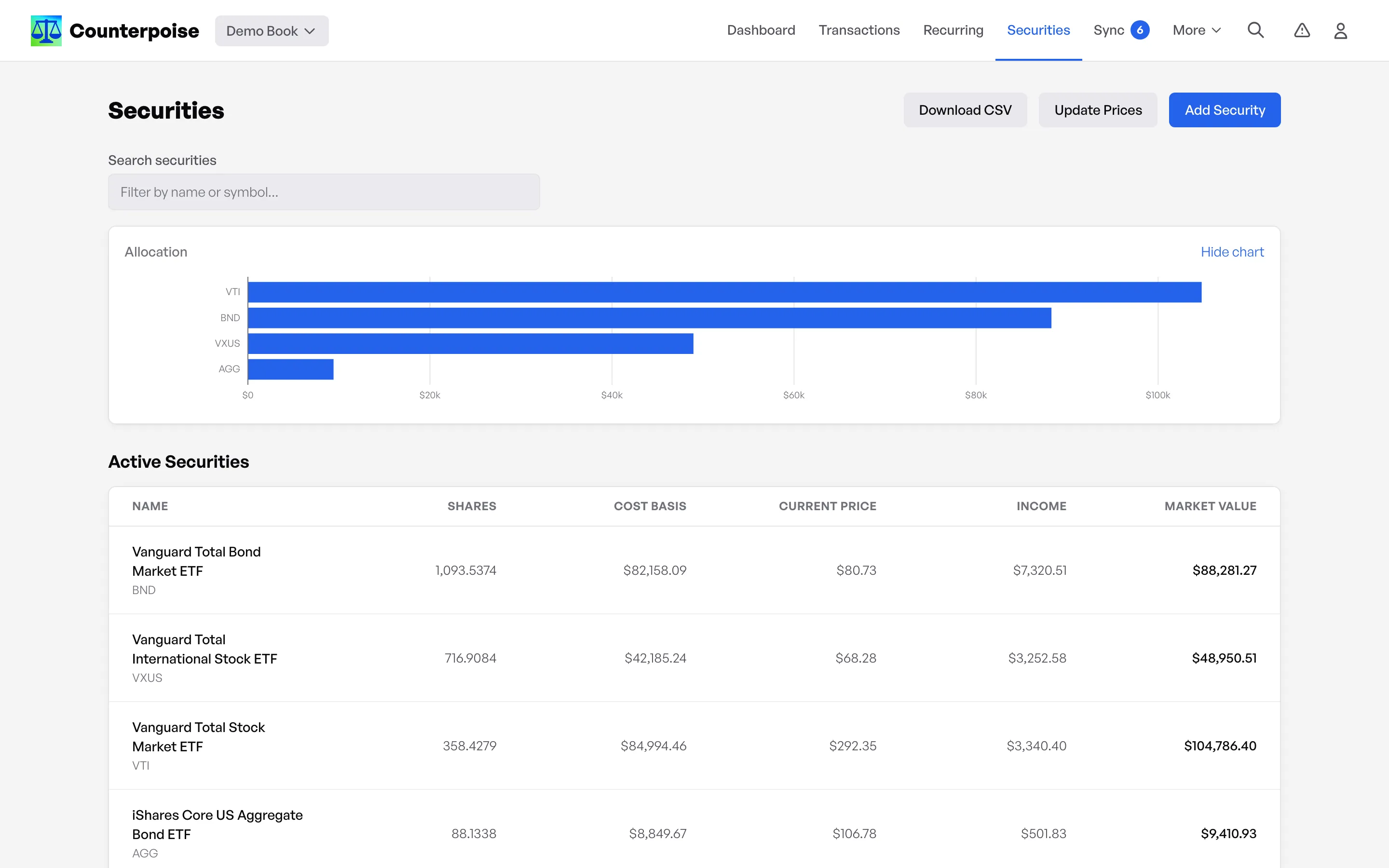
The Securities page with an allocation chart and a table of shares, cost basis, and market value
From the app, release v1.60.2

Bank sync with Plaid

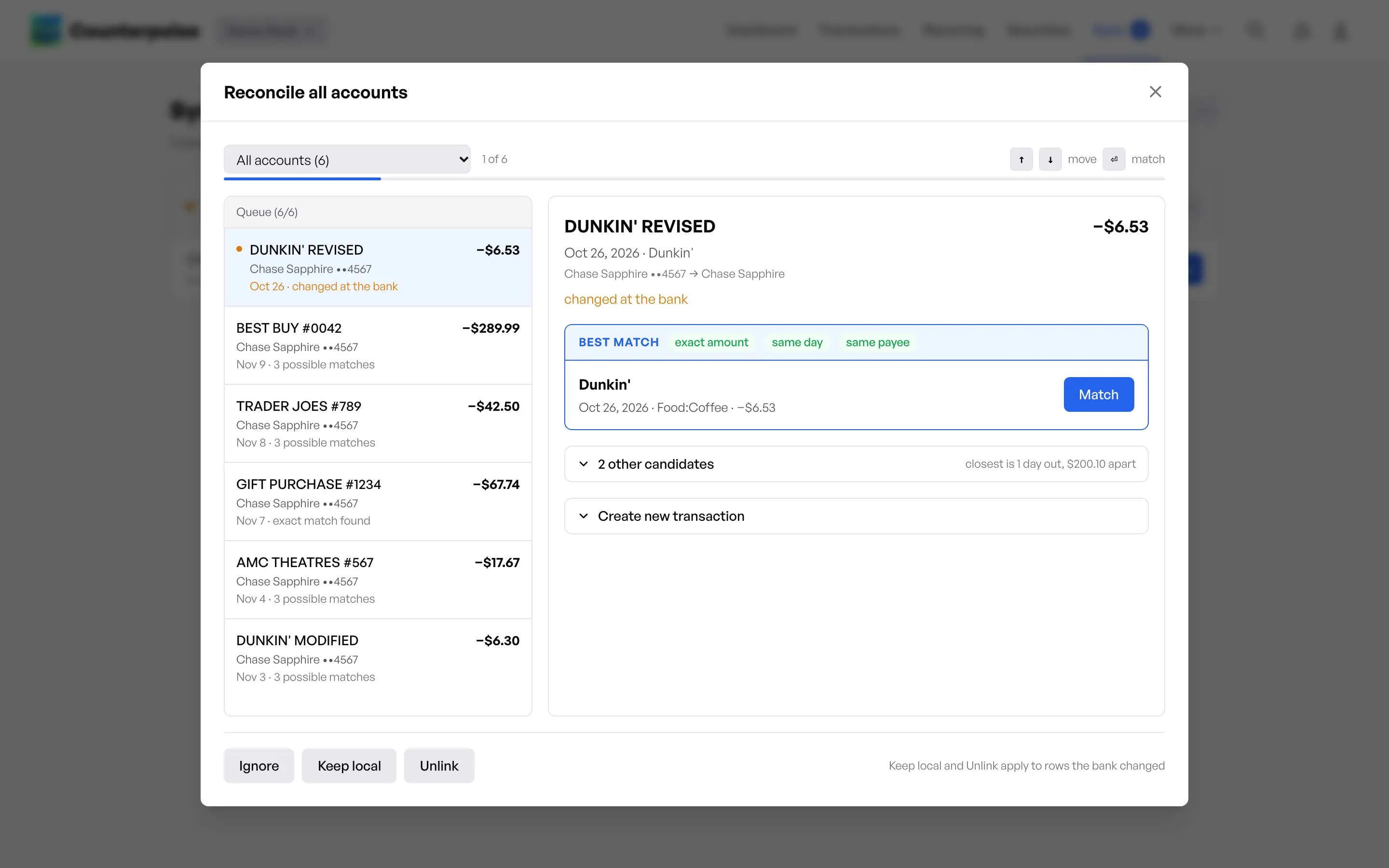
Connect your bank through Plaid. Counterpoise matches each imported item to the entries you already recorded.

  • Import transactions from connected accounts
  • Reconcile an item with one click when it matches an entry
  • Create a categorized entry from an item that has no match
  • Payee-based matching runs automatically after each sync
The reconcile dialog with a queue of bank items and the best match for the first item
From the app, release v1.60.2

And for each day

Recurring transactions

Set up bills and paychecks one time. Counterpoise makes the entries on schedule.

  • Daily, weekly, monthly, and yearly rules, with custom intervals
  • An upcoming calendar of scheduled entries
  • One paycheck rule can split salary, taxes, and savings across many accounts
  • An optional early window creates entries before their date

Reports

See where your money goes, and what you own and owe.

  • A dashboard with net worth, assets, liabilities, income, and expenses
  • Income statement and balance sheet
  • Expand any category to see its details
  • Download reports and security data as CSV

Everyday use

Counterpoise is fast to use on a desktop and on a phone.

  • Keyboard shortcuts for all main pages; press ? to see them
  • Search for any transaction, account, payee, or recurring rule
  • Light and dark themes
  • A layout for small screens

Self-host it

You need only Docker. Run these commands, then open http://localhost:3000 and make your account.

For sample data, add the demo book with one click. It is a full example household with three years of history.

git clone --branch v1.60.2 https://github.com/jeffjjohnston/counterpoise-ledger.git counterpoise
cd counterpoise
docker volume create counterpoise_data
mkdir -p backups
docker run --rm -v "$PWD/backups:/backups" alpine:3.22 chown 1000:1000 /backups
cp .env.example .env.production.local   # then edit it
docker compose --env-file .env.production.local up -d --build --wait
The install commands: clone the release, create the Docker volume, and start the container.

For configuration, bank sync, backups, and upgrades, read the Docker deployment documentation.